Connect your systems
Get your mileage where your company needs it
Whatever system you use, and whatever you need the numbers for, your AI assistant can get your mileage where it's needed. Use it for payroll, an accounting import or a cost analysis.
Payroll and accounting
Let your AI assistant move the numbers
Add Driversnote to your AI assistant, and your payroll or accounting system too if it has a connector. Then ask it to move this month's approved mileage across, or to make a file in the system's import format. Check the result the first few times.
If you ever need to scale and automate the workflow further, our open API is ready. The API comes with all paid plans.
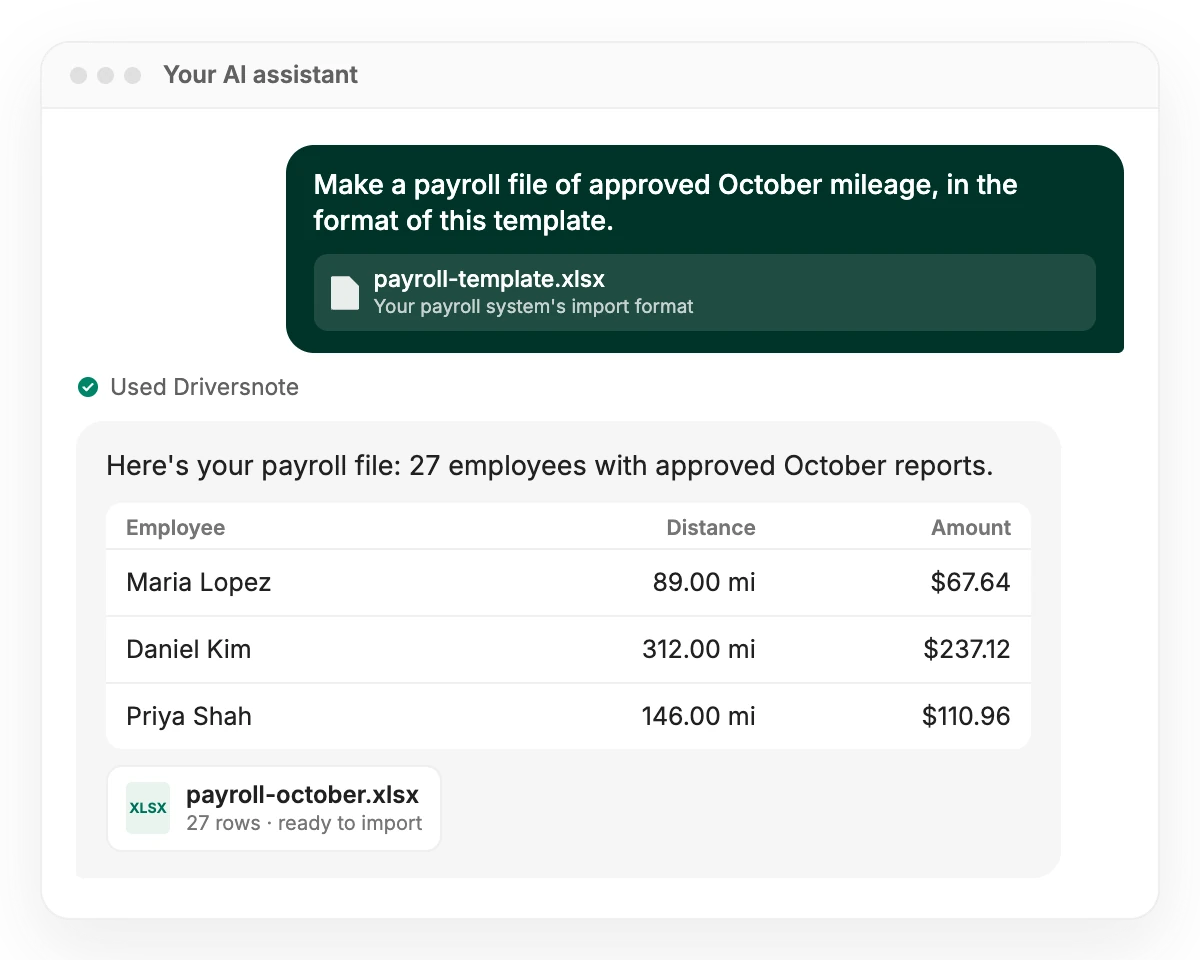
Make a payroll file of all approved mileage for October, one row per employee with email, distance and amount, in the format of this template.
Used Driversnote
Here's your payroll file: 27 employees with approved October reports, with email, distance and amount, in your template's columns.
2 drivers haven't submitted a report for October yet. Should I list them?
Approved mileage, ready for payroll
For finance teams and bookkeepers: ask once a month.
Make a payroll file of all approved mileage for October, one row per employee with email, distance and amount, in the format of this template.
A file ready for your payroll system's import.
Turn approved October mileage into a file I can import into my accounting system as one bill per employee.
An import file for your accounting system, with the amounts from Driversnote.
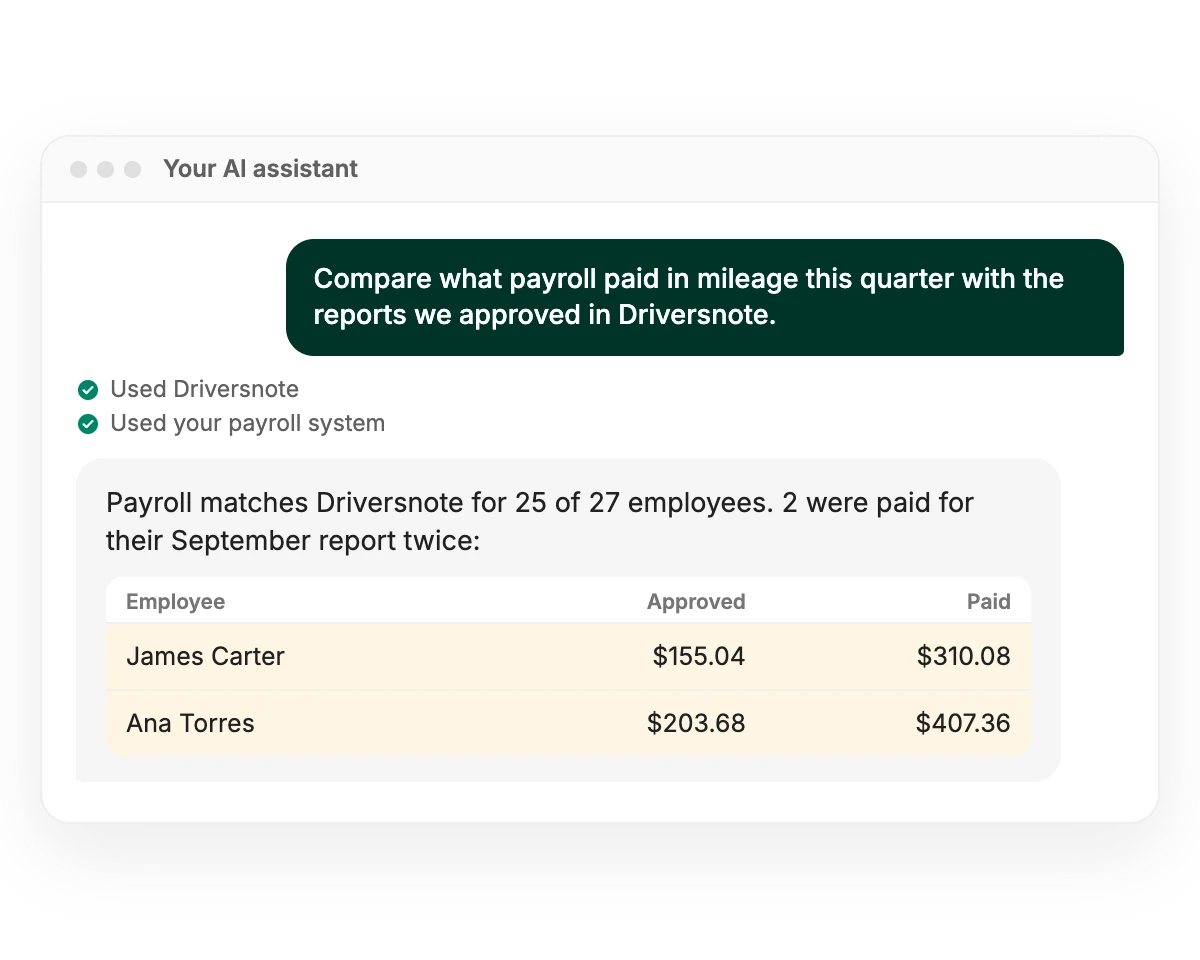
Compare the mileage we paid through payroll this quarter with the reports we approved in Driversnote.
Anyone paid too much or too little, per month.
Works with the systems your assistant can reach
Some systems offer their own connector for AI assistants: an MCP server, listed as an app in ChatGPT and as a connector in Claude. With one, your assistant can work in that system directly. Some can only read data, so check what yours can do. Any system that imports a file works too.
Payroll and HR
Bring your payroll system's import template, and your assistant fills it in. With a connector, it can also check what was paid.
Accounting and bookkeeping
Bills, journal entries or expense lines, in the format your accounting system imports.
Expenses and spend
Check approved mileage against the claims and payments in your expense system.
Any system that imports a file
Your assistant makes a spreadsheet in the system's import format, and you upload it.
Create my 2025 report and send it to my accountant.
Used Driversnote
Your 2025 report is ready, with 412 business trips. I've drafted an email to your accountant with the PDF and spreadsheet attached.
It's ready for you to read and send.
With your accountant
What your accountant asks for, in one request
Ask for your report, and your assistant creates it in Driversnote and drafts the email to your accountant, with the PDF and spreadsheet attached. Or ask for your business mileage totals, or your trips in your accountant's own spreadsheet. Copy a question to try it.
A saved report and a drafted email with the PDF and spreadsheet.
Your business mileage per vehicle, without anything being saved.
A file in your accountant's format.
You stay in charge
Your AI assistant suggests. You decide.
More you can do with your assistant

Bring in trips from Google Timeline, a spreadsheet or another mileage app. For a team, it means records ready for whoever needs them.


Frequently asked questions
Add Driversnote to ChatGPT, Claude or another assistant, then add your other system's own connector too, or attach an import file it accepts. Ask for what you need: the period, the format and who it's for. Your assistant asks about anything it can't work out, and shows you the file or the entries before anything is sent.
No. Your AI assistant does the work, using Driversnote's connector and the other system's own connector or import file. Where Driversnote already has a built-in integration with your system, that's usually the better choice.
Yes, with admin access to your Driversnote team. Their assistant then sees your team's submitted reports and can turn approved mileage into payroll or accounting files, the same as yours would.
Any system your assistant has a connector for, and any system that can import a file. Connectors differ: some can only read data, so your assistant may give you a file to upload instead. Check the connector's description in ChatGPT or Claude.
No. Approve and process reports in Driversnote, as you do today. Your assistant can tell you what's waiting for approval.
It sees what you see as an admin: the reports your team has submitted, not the trips they haven't reported.
Start with the assistant you already use
Add Driversnote to your AI assistant and try a workflow on your own. Planning it for your whole team? Talk to us.